Full Screen Panel

*New Feature: Video support for YouTube and Vimeo Links

Style Options

  • Default
  • Fixed Background
  • Fancy

Additional Panel Options  

  • Hide Title: Hides item titles so you can keep the titles in Showtime for your reference but have them not display on the front end. 

Available Item Fields

  • Image (1600px by 1000px)
  • Title
  • Logo
  • Button Link
  • Button Text
  • Body
  • Video Background (YouTube and Vimeo links) supported

Full Screen Panel (Default)

  • Uses 1 item.
  • Supports both images*, YouTube, Vimeo, and muted mp4 background video. 

​​​​​​*Do not include text on the image itself as the image will crop based on browser width and height. Use the Item Title and Body fields to ensure text is viewable on all device sizes. 

Title Goes Here

Pellentesque nibh sapien, congue in purus ut, mattis commodo ante. Duis dictum dolor in mi molestie laoreet at dapibus arcu. Nullam sit amet hendrerit ligula. Duis maximus purus vel ante volutpat mollis. Suspendisse suscipit eros vitae magna pharetra, non accumsan tellus consectetur. Quisque varius, enim sit amet aliquam laoreet, libero nibh dapibus nulla, non fringilla lectus nisl vel massa. Integer a purus libero.

Button 1Button 2Button 3

button text

Intro Panel (Default) w/Video (MP4, YouTube, or Vimeo)

New Feature: Video support for YouTube and Vimeo Links

  • Uses 1 Item.

  • When you set the Full Screen panel style to default, you can display a muted background video.

  • For MP4s, You’ll use the Add Media button next to "Image" to add your MP4. It's ok if you haven't uploaded the mp4 to the system yet, you will be able to do so from the media gallery after you've clicked Add Media. Try to keep your MP4 file size small to maintain a fast page load speed.

  • YouTube and Vimeo links are supported through the Video Background field.

  • Videos will autoplay without audio for accessibility.

​​​​​​*Do not include text on the image itself as the image will crop based on browser width and height. Use the Item Title and Body fields to ensure text is viewable on all device sizes. 

Title Goes Here

Full Screen Panel (Default) w/Title Hidden & a Logo 

  • Uses 1 Item.

  • Supports both images* and muted mp4 background video. 

  • Use the Add Media button below "Logo (optional)" to add your logo to the intro panel background. It's ok if you haven't uploaded it to the system yet, you will be able to do so from the media gallery after you've clicked Add Media. 

​​​​​​*Do not include text on the image itself as the image will crop based on browser width and height. Use the Item Title and Body fields to ensure text is viewable on all device sizes. 

Title Goes Here

Intro Panel (Fixed Background) 

  • Uses 1 Item.

  • Supports images* only. 

  • The background image does not move while the user scrolls.

​​​​​​*Do not include text on the image itself as the image will crop based on browser width and height. Use the Item Title and Body fields to ensure text is viewable on all device sizes. 

Title Goes Here

Intro Panel (Fancy) 

  • Use for multiple items. 

  • Supports images* only. 

  • The background fades to the next image as the text scrolls. 

​​​​​​*Do not include text on the image itself as the image will crop based on browser width and height. Use the Item Title and Body fields to ensure text is viewable on all device sizes. 

Vivamus ac tincidunt purus. Ut urna leo, blandit viverra pretium id, venenatis consequat est. Maecenas faucibus a justo id finibus. Aliquam eget feugiat purus. Morbi sed ligula eros. Donec mi est, egestas in mi at, varius semper dolor. Maecenas ac ex scelerisque, posuere quam in, feugiat nisl. In vel tortor vel magna vulputate condimentum quis et lacus.

Morbi sed ligula eros. Donec mi est, egestas in mi at, varius semper dolor. Maecenas ac ex scelerisque, posuere quam in, feugiat nisl. In vel tortor vel magna vulputate condimentum quis et lacus. Vivamus ac tincidunt purus. Ut urna leo, blandit viverra pretium id, venenatis consequat est. Maecenas faucibus a justo id finibus. Aliquam eget feugiat purus.

Vivamus ac tincidunt purus. Ut urna leo, blandit viverra pretium id, venenatis consequat est. Maecenas faucibus a justo id finibus. Aliquam eget feugiat purus. Morbi sed ligula eros. Donec mi est, egestas in mi at, varius semper dolor. Maecenas ac ex scelerisque, posuere quam in, feugiat nisl. In vel tortor vel magna vulputate condimentum quis et lacus.

Grid Panel

Style Options

  • Default
  • Carousel

Available Item Fields

  • Image (410px by 245px)
  • Title
  • Subtitle
  • URL
  • Button Text
     

Grid Panel (Default) 

  • Use 3 items minimum (If you use less than 3 the panel will not look nice on desktop)
  • If a URL is entered the whole item square will be clickable.
  • On tablet/mobile items will stack.
     

Grid Panel (Carousel)

  • Use more than 3 items
  • If a URL is entered the whole item square will be clickable.
  • On desktop adds arrows to the left and right for the user to toggle through items.
  • On tablet/mobile the user can swipe left and right through the items.

Title Goes Here

Subtitle Goes Here

Title Goes Here

Subtitle Goes Here

Spotlight Panel

*New Features: 4-Across and 5-Across options

Style Options

  • Large
  • Wide
  • Grid
  • 4-Across
  • 5-Across

Available Item Fields

  • Image (820px by 490px)
  • Title
  • Body
  • URL
  • Button Text
     

Spotlight Panel (Large) 

  • Use 2 items minimum (If you use less than 2 the panel will not look nice on desktop)
  • Displays 2 items across on desktop.

Spotlight Panel (Wide)

  • Displays 1 item across on desktop.

Spotlight with Image, Link, and Description

In this format, the image, title, and button will be clickable.

You can include bulleted and numbered lists within a spotlight and even a link within the text.

  • Bulleted Item 1
  • Bulleted Item 2
  • Bulleted Item 3
  1. Numbered Item 1
  2. Numbered Item 2
  3. Numbered Item 3
Sample Button Text

Spotlight with Image, Description, and NO Link

You don't have to include a link. If you don't, no button will appear.

Spotlight with description, link, and NO image

If you don't have an image, but still like the way the spotlight list looks, that's fine! Go ahead and create your spotlight without an image. In this case, just the title and button will be clickable. 

More Info

Spotlight Panel (Grid)

  • Use 3 items minimum (If you use less than 3 the panel will not look nice on desktop)
  • Displays 3 items across on desktop.

Title Goes Here

Lorem ipsum dolor sit amet, consectetur adipiscing elit. Sed condimentum ornare lacinia. Integer posuere quis libero sit amet pulvinar. Donec quis aliquet turpis, accumsan pellentesque massa. Pellentesque nec tortor eu orci cursus rutrum. In at erat nulla. Donec sed condimentum magna, eu lacinia erat. Vivamus volutpat id mi nec eleifend.

Sample Button Text

Title Goes Here

Lorem ipsum dolor sit amet, consectetur adipiscing elit. Sed condimentum ornare lacinia. Integer posuere quis libero sit amet pulvinar. Donec quis aliquet turpis, accumsan pellentesque massa. Pellentesque nec tortor eu orci cursus rutrum. In at erat nulla. Donec sed condimentum magna, eu lacinia erat. Vivamus volutpat id mi nec eleifend.

Sample Button Text

Title Goes Here

Lorem ipsum dolor sit amet, consectetur adipiscing elit. Sed condimentum ornare lacinia. Integer posuere quis libero sit amet pulvinar. Donec quis aliquet turpis, accumsan pellentesque massa. Pellentesque nec tortor eu orci cursus rutrum. In at erat nulla. Donec sed condimentum magna, eu lacinia erat. Vivamus volutpat id mi nec eleifend.

Sample Button Text

Spotlight Panel (4 Across)

New Feature

  • Use 4 items minimum (If you use less than 4, the panel will not look nice on desktop)
  • Displays 4 items across on desktop.

Title Goes Here

Lorem ipsum dolor sit amet, consectetur adipiscing elit. Sed condimentum ornare lacinia.

Sample Button Text

Title Goes Here

Lorem ipsum dolor sit amet, consectetur adipiscing elit. Sed condimentum ornare lacinia.

Sample Button Text

Title Goes Here

Lorem ipsum dolor sit amet, consectetur adipiscing elit. Sed condimentum ornare lacinia.

Sample Button Text

Title Goes Here

Lorem ipsum dolor sit amet, consectetur adipiscing elit. Sed condimentum ornare lacinia.

Sample Button Text

Spotlight Panel (5 Across)

New Feature

  • Use 5 items minimum (If you use less than 5, the panel will not look nice on desktop)
  • Displays 5 items across on desktop.

Title Goes Here

Lorem ipsum dolor sit amet, consectetur adipiscing elit. Sed condimentum ornare lacinia.

Sample Button Text

Title Goes Here

Lorem ipsum dolor sit amet, consectetur adipiscing elit. Sed condimentum ornare lacinia.

Sample Button Text

Title Goes Here

Lorem ipsum dolor sit amet, consectetur adipiscing elit. Sed condimentum ornare lacinia.

Sample Button Text

Title Goes Here

Lorem ipsum dolor sit amet, consectetur adipiscing elit. Sed condimentum ornare lacinia.

Sample Button Text

Title Goes Here

Lorem ipsum dolor sit amet, consectetur adipiscing elit. Sed condimentum ornare lacinia.

Sample Button Text

Full Width Panel

*New Feature: Video support for YouTube and Vimeo Links

Style Options

  • No style options display as it is just default. 

Additional Panel Options

  • Is Carousel?: Select to have the panel carousel through multiple items.  
  • Hide Title: Hides item titles so you can keep the titles in Showtime for your reference but have them not display on the front end. 
  • Show Text On Hover: Instead of the Title, Body Text, and Button displaying automatically, they appear on hover. ​

Available Item Fields

  • Image (1200px by 700px)
  • Title
  • URL
  • Body
  • Button Text
  • Video Background (YouTube and Vimeo links) supported

Full Width Panel w/Carousel

  • Check Is Carousel? under panel options if using more than 2 items. 
  • Max of 4 items in carousel. 

Title Goes Here

Lorem ipsum dolor sit amet, consectetur adipiscing elit. Mauris pharetra nulla quis blandit sollicitudin. Pellentesque suscipit, odio laoreet vulputate efficitur, nulla velit mattis magna, non fringilla justo lacus ut orci. Ut aliquam, elit nec imperdiet lacinia, leo erat maximus eros, a imperdiet quam sapien eu ante. Praesent iaculis neque ac dolor scelerisque tristique.

Title Goes Here

Lorem ipsum dolor sit amet, consectetur adipiscing elit. Mauris pharetra nulla quis blandit sollicitudin. Pellentesque suscipit, odio laoreet vulputate efficitur, nulla velit mattis magna, non fringilla justo lacus ut orci. Ut aliquam, elit nec imperdiet lacinia, leo erat maximus eros, a imperdiet quam sapien eu ante. Praesent iaculis neque ac dolor scelerisque tristique.

Title Goes Here

Lorem ipsum dolor sit amet, consectetur adipiscing elit. Mauris pharetra nulla quis blandit sollicitudin. Pellentesque suscipit, odio laoreet vulputate efficitur, nulla velit mattis magna, non fringilla justo lacus ut orci. Ut aliquam, elit nec imperdiet lacinia, leo erat maximus eros, a imperdiet quam sapien eu ante. Praesent iaculis neque ac dolor scelerisque tristique.

Title Goes Here

Lorem ipsum dolor sit amet, consectetur adipiscing elit. Mauris pharetra nulla quis blandit sollicitudin. Pellentesque suscipit, odio laoreet vulputate efficitur, nulla velit mattis magna, non fringilla justo lacus ut orci. Ut aliquam, elit nec imperdiet lacinia, leo erat maximus eros, a imperdiet quam sapien eu ante. Praesent iaculis neque ac dolor scelerisque tristique.

Full Width Panel w/Title Hidden

  • Check Hide Title under panel options.
  • Leave Use Carousel? unchecked to display stacked panels

Lorem ipsum dolor sit amet, consectetur adipiscing elit. Mauris pharetra nulla quis blandit sollicitudin. Pellentesque suscipit, odio laoreet vulputate efficitur, nulla velit mattis magna, non fringilla justo lacus ut orci. Ut aliquam, elit nec imperdiet lacinia, leo erat maximus eros, a imperdiet quam sapien eu ante. Praesent iaculis neque ac dolor scelerisque tristique.

Full Width Panel w/Show Text on Hover

  • Check Show Text on Hover under panel options to have the title, body text, and button display on hover only. 

Title Goes Here

This caption will fade in.

Full Width Panel with Video

New Feature

  • Add a YouTube or Vimeo video link in the Video Background field to display a video in this panel.
  • The video will autoplay without sound for accessibility.

Alternating Panel

*New Features: Video support for YouTube and Vimeo Links | Modal Option

Style Options

  • Default
  • Small
  • Centered Logos
  • Fixed Width
  • Modal

Available Item Fields

  • Image (800px by 800px)
  • Title
  • URL
  • Body
  • Button Text
  • Video Background (YouTube and Vimeo links supported)
  • Read More Text (for Modal option)

Alternating Panel (Default) 

  • The first item displays the image* on the left and the text on the right. The next item displays in the reverse order and so on.

​​​​​​*Do not include text on the image itself as the image will crop based on browser width and height. Use the Item Title and Body fields to ensure text is viewable on all device sizes. 

Title Goes Here

Lorem ipsum dolor sit amet, consectetur adipiscing elit. Mauris pharetra nulla quis blandit sollicitudin. Pellentesque suscipit, odio laoreet vulputate efficitur, nulla velit mattis magna, non fringilla justo lacus ut orci. Ut aliquam, elit nec imperdiet lacinia, leo erat maximus eros, a imperdiet quam sapien eu ante. Praesent iaculis neque ac dolor scelerisque tristique. 

  • Lorem ipsum dolor sit amet,
  • consectetur adipiscing elit
  • neque ac dolor scelerisque tristique
More Info

Title Goes Here

Title Goes Here

Lorem ipsum dolor sit amet, consectetur adipiscing elit.

Mauris pharetra nulla quis blandit sollicitudin. Pellentesque suscipit, odio laoreet vulputate efficitur, nulla velit mattis magna, non fringilla justo lacus ut orci. Ut aliquam, elit nec imperdiet lacinia, leo erat maximus eros, a imperdiet quam sapien eu ante. Praesent iaculis neque ac dolor scelerisque tristique.

Alternating Panel (Small) 

  • The first item displays the image* on the left and the text on the right. The next item displays in the reverse order and so on.
  • Image height is shorter than the default alternating panel. 

​​​​​​*Do not include text on the image itself as the image will crop based on browser width and height. Use the Item Title and Body fields to ensure text is viewable on all device sizes. 

Title Goes Here

Lorem ipsum dolor sit amet, consectetur adipiscing elit. Aenean euismod, metus quis volutpat varius, mi erat elementum elit, sollicitudin congue eros mauris sed mauris. Nullam eget nunc ultrices, fermentum sem eu, finibus nisi. Etiam interdum facilisis orci vitae bibendum. Pellentesque id finibus magna. Fusce ante odio, commodo eu libero nec, placerat maximus mauris.

Title Goes Here

Ut a dolor turpis. Sed luctus pellentesque semper. Proin nec eleifend magna. Donec cursus, justo eget viverra finibus, metus leo congue magna, sit amet tincidunt orci metus et lectus. Sed faucibus libero justo, non vehicula mi pretium nec. Nullam sed elit mi. Phasellus massa metus, consectetur vel sagittis et, posuere et tellus. Fusce blandit felis id risus fermentum iaculis.

Alternating Panel (Centered Logos) 

  • The first item displays the logo centered on the left and the text on the right. The next item displays in the reverse order and so on.

Title Goes Here

Title Goes Here

Lorem ipsum dolor sit amet, consectetur adipiscing elit. Aenean euismod, metus quis volutpat varius, mi erat elementum elit, sollicitudin congue eros mauris sed mauris. Nullam eget nunc ultrices, fermentum sem eu, finibus nisi. Etiam interdum facilisis orci vitae bibendum. Pellentesque id finibus magna. Fusce ante odio, commodo eu libero nec, placerat maximus mauris.

Alternating Panel (Fixed Width) 

  • The first item displays the image* on the left and the text on the right. The next item displays in the reverse order and so on.
  • The items remain centered on the page in desktop view. 
  • Image height adjusts based on coordinating text length.

​​​​​​*Do not include text on the image itself as the image will crop based on browser width and height. Use the Item Title and Body fields to ensure text is viewable on all device sizes. 

Title Goes Here

Lorem ipsum dolor sit amet, consectetur adipiscing elit. Aenean euismod, metus quis volutpat varius, mi erat elementum elit, sollicitudin congue eros mauris sed mauris. 

Title Goes Here

Lorem ipsum dolor sit amet, consectetur adipiscing elit. Aenean euismod, metus quis volutpat varius, mi erat elementum elit, sollicitudin congue eros mauris sed mauris.

Title Goes Here

Lorem ipsum dolor sit amet, consectetur adipiscing elit. Aenean euismod, metus quis volutpat varius, mi erat elementum elit, sollicitudin congue eros mauris sed mauris.

Title Goes Here

Lorem ipsum dolor sit amet, consectetur adipiscing elit. Aenean euismod, metus quis volutpat varius, mi erat elementum elit, sollicitudin congue eros mauris sed mauris.

Alternating Panel (Video Support) 

New Feature

  • Videos can be used in place of images for any layout of Alternating Panels.
  • MP4s can be uploaded into the Image field.
  • YouTube and Vimeo links are supported through the Video Background field.
  • Images will autoplay without audio for accessibility.

MP4 Video

Vimeo Video

YouTube Video

Alternating Panel (Modal Option) 

New Feature

  • A modal option can be used with Alternating Panels to allow a pop of text and/or images to display.
  • To activate the modal, add text and/or images to the "Read More Text" field.
  • A "Read More" button will automatically display for the user to open up the modal.
  • If the URL field is also filled out, the "Read More" button will display next to the button for the URL field.

This will have a Modal

This Panel will have a model.

Icons Panel

Style Options

  • No style options display as it is just default. 

Additional Panel Options

  • Hide Title: Hides item titles so you can keep the titles in Showtime for your reference but have them not display on the front end. 

Available Item Fields

  • Image (Any Size)
  • Title
  • URL
  • Body

Icons Panel w/7 items

  • You can use any number of items as the icons center up on desktop.

Title Goes Here

Lorem ipsum dolor sit amet, consectetur adipiscing elit. Integer semper interdum tempor.

Title Goes Here

Lorem ipsum dolor sit amet, consectetur adipiscing elit. Integer semper interdum tempor.

Title Goes Here

Lorem ipsum dolor sit amet, consectetur adipiscing elit. Integer semper interdum tempor.

Title Goes Here

Lorem ipsum dolor sit amet, consectetur adipiscing elit. Integer semper interdum tempor.

Title Goes Here

Lorem ipsum dolor sit amet, consectetur adipiscing elit. Integer semper interdum tempor.

Title Goes Here

Lorem ipsum dolor sit amet, consectetur adipiscing elit. Integer semper interdum tempor.

Title Goes Here

Lorem ipsum dolor sit amet, consectetur adipiscing elit. Integer semper interdum tempor.

Icons Panel w/3 items & Titles Hidden

  • Check Hide Title under panel options.
  • Add 3 items. 

Icons Panel w/2 items

  • Add 2 items. 

Title Goes Here

Lorem ipsum dolor sit amet, consectetur adipiscing elit. Integer semper interdum tempor.

Title Goes Here

Lorem ipsum dolor sit amet, consectetur adipiscing elit. Integer semper interdum tempor.

Icons Panel w/3 items

  • Add 3 items. 

Title Goes Here

Lorem ipsum dolor sit amet, consectetur adipiscing elit. Integer semper interdum tempor.

Title Goes Here

Lorem ipsum dolor sit amet, consectetur adipiscing elit. Integer semper interdum tempor.

Title Goes Here

Lorem ipsum dolor sit amet, consectetur adipiscing elit. Integer semper interdum tempor.

Banners Panel

Style Options

  • No style options display as it is just default. 

Additional Panel Options  

  • Hide Title: Hides item titles so you can keep the titles in Showtime for your reference but have them not display on the front end. 

Available Item Fields

  • Image
    • 1 item (1300px by 220px)
    • 2 items (750px by 220px)
    • 3 items (400px by 220px)
  • Title
  • URL
  • Logo

Banners Panel w/1 item

  • Add 1 item
  • If including an image use (1300px by 220px)

Banners Panel w/2 items & Titles Hidden

  • Check Hide Title under panel options.
  • Add 2 items. 
  • If including an image use (750px by 220px for each)

Banners Panel w/3 items

  • Add 3 items. 
  • If including an image use (400px by 220px for each)

Title Goes Here

Subtitle Goes Here

Title Goes Here

Subtitle Goes Here

Title Goes Here

Subtitle Goes Here

Text Only Panel

Style Options

  • Default
  • Centered

Available Item Fields

  • Title (Showtime Use Only. Not visible on Front End)
  • Text

Text Only Panel (Default)

  • Text is Left-Aligned.

Heading 1

Lead-In Paragraph: Write out your text then highlight it. In the text editor, click the STYLES button and choose "lead paragraph."

Heading 2

Normal Font: Bold text italicized text subscript superscript. This is the default for text. When you create a new text item and start typing, this is the text that will appear on the front end of your site unless you choose an alternate text style. You can choose styles by clicking on the Paragraph Format button in the text editor (the first dropdown in from the left, it will say "Normal.") From there, you can choose a heading type or you can choose from various other styles like Lead Paragraph (displayed above), bold, italicized, subscript, superscript, numbered and bulleted lists, or blockquotes, all of which are sampled on this page.


Heading 3

Bulleted and numbered lists can be created in any text block. Simply write out the list of items, highlight them, and then click on the bulleted list icon or the numbered list icon in the text editor. The list will automatically add the numbers/bullets to each item.

  • Bulleted Item 1
  • Bulleted Item 2
  • Bulleted Item 3
  • Bulleted Item 4
  1. Numbered Item 1
  2. Numbered Item 2
  3. Numbered Item 3
  4. Numbered Item 4

Buttons

Create new buttons within text panel items. Type out the word(s) you would like to use as the button text, click on the link icon in the text editor, and fill in the information to create the link. Click on the Advanced tab and in the field labeled "stylesheet class" type the word "button" (without the quotation marks), click ok. It will look like a regular text link within Showtime, but on the front end, it will be styled like a button.

Sample Button

Styled Image Right

casey-horner-1533985-unsplash.jpgPlace your cursor at the start of the paragraph. Click on the Media button and choose your image. Once it appears in the text block, click on the image so it highlights, go to the Styles button in the text editor and choose styled image right. 

Styled Image Left

casey-horner-1533985-unsplash.jpg

Place your cursor at the start of the paragraph. Click on the Media button and choose your image. Once it appears in the text block, click on the image so it highlights, go to the Styles button in the text editor and choose either styled image left or styled image right. 

Text Only Panel (Centered)

  • Text is Centered.

Creating Buttons

Create new buttons within text panel items. Navigate your cursor to the spot where you would like the button to display. Click on the Button button in the text editor. A new menu will appear above your work, prompting you to enter the text (button text) and the URL, and to choose to open in a new window if desired. Click ok to save. 

ButtonAnother Button

Bulleted and numbered lists can be created in any text panel. Simply write out the list of items, highlight them, and click on the bulleted list icon or the numbered list icon in the text editor. The list will automatically add the numbers/bullets to each item.

  • Bulleted Item 1
  • Bulleted Item 2
  • Bulleted Item 3
  • Bulleted Item 4
  1. Numbered Item 1
  2. Numbered Item 2
  3. Numbered Item 3
  4. Numbered Item 4

FAQ List Panel

Style Options

  • No style options display as it is just default. 

Available Item Fields

  • Question
  • Answer

FAQ List Panel Notes

FAQ list panels are a great way to break up text within a page to make it more manageable for the reader. Click edit on the first item and enter a question (does not necessarily have to be a question) then use the free form answer description field for all of the information related to that question. Select the + Add New Item button to add additional FAQ items.

FAQ List Panel

  • FAQ list panels are a great way to break up text within a page to make it more manageable for the reader. Click edit on the first item and enter a question (does not necessarily have to be a question) then use the free form answer description field for all of the information related to that question. Select the + Add New Item button to add additional FAQ items.

Sample Item 1

Sample Answer. Lorem ipsum dolor sit amet, consectetur adipiscing elit. Mauris id augue non mauris volutpat faucibus. Vestibulum varius eget nisl id rhoncus. Suspendisse id consequat justo. Maecenas non tellus convallis, aliquet sapien sed, pharetra quam. Praesent ultrices ac magna nec gravida. Aenean nec sodales sapien, vel consequat mi.
Integer eu porta orci. Class aptent taciti sociosqu ad litora torquent per conubia nostra, per inceptos himenaeos.

Sample Item 2

This is another example. This one includes a link within the text and some lists. 

  • Bulleted Item 1
  • Bulleted Item 2
  • Bulleted Item 3
  1. Numbered Item 1
  2. Numbered Item 2
  3. Numbered Item 3

Link List Panel

Style Options

  • No style options display as it is just default. 

Available Item Fields

  • Title
  • URL
  • Body

Link List Panel Notes

If you have a list of items that you want to link, a link list is a better alternative than simply linking within a text panel. Click edit on the first item. The Title field is where you place the word(s) that represent your link, then enter the link in the URL field. The body field is optional. As shown below, bulleted and numbered lists are supported here as well as links within the text.

HTML Panel

New Panel

This content item allows raw HTML, CSS, and JavaScript code. Content will be rendered directly without modification. 

Note: Use caution with scripts.

Style Options

  • Fixed Width (1180px)
  • Full Width 
{HTML Goes Here}

Spacer Panel

New Panel

  • Small (50px)
  • Medium (100px)
  • Large (200px)

Note: Spacer will add additional space in addition to your existing site spacing

Spacer Small (50px)

Spacer Medium (100px)

Spacer Large (200px)

Visitor Guide

The Grady Hotel

601 West Main Street
Louisville, Kentucky 40202
Phone: 502.434.3700

21c Museum Hotel Louisville

700 West Main Street
Louisville, Kentucky 40202
Phone: 502.217.6300

Homewood Suites by Hilton

635 West Market Street
Louisville, Kentucky 40202
Phone: 502.589.2000

The Galt House Hotel

140 North Fourth Street
Louisville, Kentucky 40202
Phone: 502.589.5200

Aloft Louisville Downtown

102 West Main Street
Louisville, Kentucky 40202
Phone: 502.583.1888

Omni Louisville Hotel

400 South 2nd Street
Louisville, Kentucky 40202
Phone: 502.313.6664

Map, News, Slideshow

Wednesday, Jan. 21, 2026 at 10:17 AM

Scotland Is Speaking

Anthony R. Green, Active Creator in Residence

More Info
Friday, Jan. 16, 2026 at 4:44 PM

Composing Beyond the Concert Hall

Jacob Gotlib, Senior Creators Corps Program Manager

More Info
Friday, Jan. 16, 2026 at 4:19 PM

Chelsea Komschlies on Music, Color, and Neuro-Symbolism 

Chelsea Komschlies, Active Creator in Residence

More Info
Wednesday, Jan. 07, 2026 at 9:45 AM

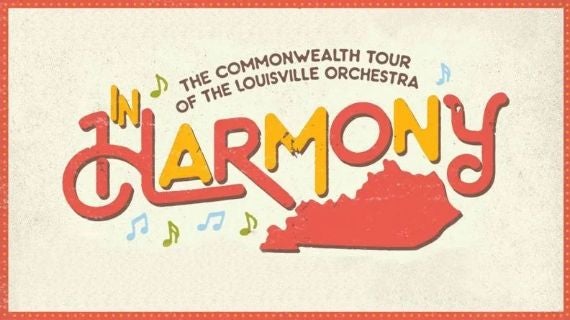
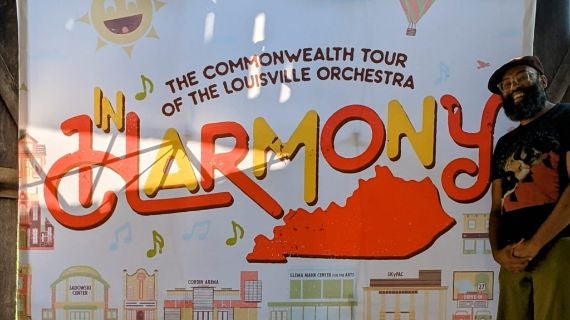
Just Announced: February 2026 In Harmony Tour

b>Free performances led by Music Director Teddy Abrams to take place in Berea, Frankfort, and Danville

More Info
Tuesday, Dec. 23, 2025 at 4:46 PM

Finding A Moment

Anthony R. Green, Active Creator in Residence

More Info
Wednesday, Dec. 17, 2025 at 11:08 AM

Announcing Our 2026-2027 Creators

Seare Ahmed Farhat & Susanna Hancock Join Groundbreaking Residency Program

More Info
Tuesday, Dec. 16, 2025 at 3:24 PM

Musical Lineages

Jacob Gotlib, Senior Creators Corps Program Manager

More Info
Monday, Dec. 15, 2025 at 1:48 PM

Chelsea Komschlies' End-of-Year Updates

Chelsea Komschlies, Active Creator in Residence

More Info
Tuesday, Dec. 02, 2025 at 11:12 AM

Rollercoaster Career, Gratefulness

Anthony R. Green, Active Creator in Residence

More Info
Tuesday, Dec. 02, 2025 at 11:06 AM

Better

Chelsea Komschlies, Active Creator in Residence

More Info
Tuesday, Dec. 02, 2025 at 10:59 AM

A Listener’s Guide to New Music

Jacob Gotlib, Senior Creators Corps Program Manager

More Info
Tuesday, Oct. 21, 2025 at 3:49 PM

Finding Community

Anthony R. Green, Active Creator in Residence

More Info
Tuesday, Oct. 21, 2025 at 3:21 PM

Playing Frankenstein in October

Chelsea Komschlies, Active Creator in Residence

More Info
Tuesday, Oct. 21, 2025 at 3:00 PM

Full Circle Moments

Jacob Gotlib, Senior Creators Corps Program Manager

More Info
Tuesday, Sep. 23, 2025 at 1:49 PM

A Postcard from Shaker Village

Chelsea Komschlies, Active Creator in Residence

More Info
Tuesday, Sep. 23, 2025 at 1:40 PM

Fall in Louisville, KY

Anthony R. Green, Active Creator in Residence

More Info
Tuesday, Sep. 23, 2025 at 12:24 PM

Inside the LOCC Selection Process

Jacob Gotlib, Senior Creators Corps Program Manager

More Info
Tuesday, Aug. 26, 2025 at 11:02 PM

A New Chapter with the Louisville Orchestra

Chelsea Komschlies, Active Creator in Residence

More Info
Tuesday, Aug. 26, 2025 at 10:39 PM

Prepping For In Harmony

Anthony R. Green, Active Creator in Residence

More Info
Tuesday, Aug. 26, 2025 at 3:18 PM

Jacob Gotlib Welcomes & Reflects

Jacob Gotlib, Senior Creators Corps Program Manager

More Info
Monday, Aug. 25, 2025 at 8:00 AM

Teddy Abrams Extends Contract with LO

Teddy Abrams Extends Louisville Orchestra Leadership with New Three-Year Contract Beloved Music Director will continue shaping the city’s sound…

More Info
Monday, May. 12, 2025 at 5:09 PM

2025-26 Season Just Announced

LOUISVILLE ORCHESTRA ANNOUNCES 2025-2026 SEASON Bold Classical Masterworks, Innovative Premieres, and Iconic Crossover Concerts

More Info
Sample Slideshow Image
Taylor Swift - Cardigan

Events

More Info for Dolly Parton’s Threads: My Songs In Symphony
Saturday, Jan. 31, 2026 at 7:30 PM
Frank & Paula Harshaw Pops Series

Dolly Parton’s Threads: My Songs In Symphony

A multimedia experience featuring Dolly on screen, leading audiences in a visual-musical journey of her songs, her life, and her stories featuring songs like “Jolene,” “Coat of Many Colors,” and “I Will Always Love You.”

More Info for Bruch & Bruckner
Friday, Feb. 06, 2026 at 7:30 PM
Caesar's Foundation of Floyd County Presents

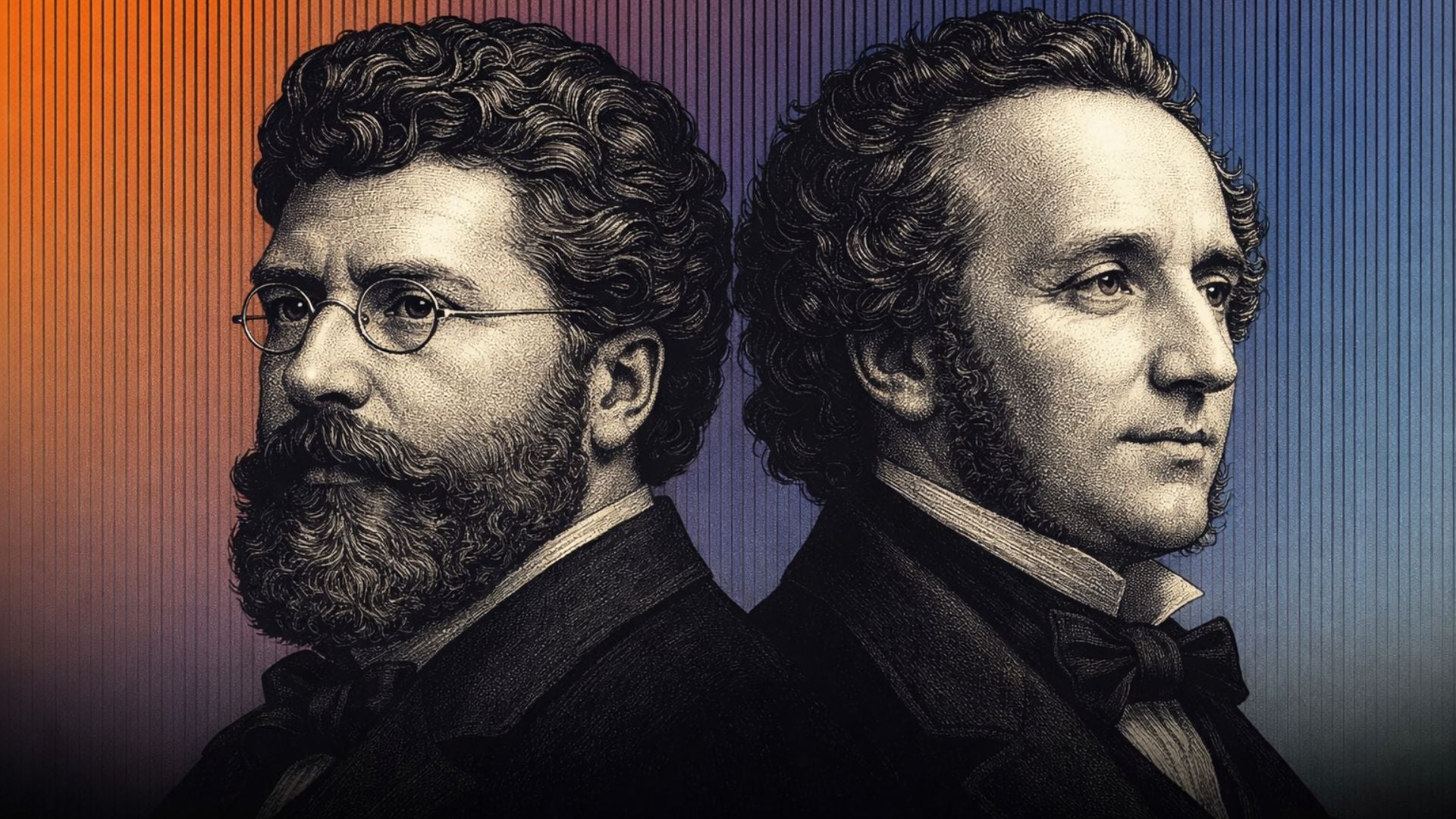
Bruch & Bruckner

Bruch’s heartfelt Violin Concerto meets Bruckner’s towering Fourth Symphony in a night of sweeping Romantic drama.

More Info for Clouds in my Coffee: Music of Joni Mitchell, Carole King & Carly Simon
Saturday, Feb. 28, 2026 at 7:30 PM
Frank & Paula Harshaw Pops Series

Clouds in my Coffee: Music of Joni Mitchell, Carole King & Carly Simon

Hits like "Both Sides Now", "You’ve Got a Friend", "You’re So Vain", and more, this concert celebrates the artistry of Joni Mitchell, Carole King, and Carly Simon.

More Info for Eric Whitacre in Concert
Saturday, Mar. 07, 2026 at 7:30 PM
Brown-Forman Foundation

Eric Whitacre in Concert

Grammy-winning composer and conductor Eric Whitacre leads the Louisville Orchestra in an evening of his own breathtaking works.

More Info for Copland's Appalachian Spring
Saturday, Apr. 11, 2026 at 7:30 PM
Brown-Forman Foundation

Copland's Appalachian Spring

Copland’s Appalachian Spring, performed with the Louisville Ballet, shares the program with the world premiere of a new work by the Creators Corps.

Upcoming

More Info for Dolly Parton’s Threads: My Songs In Symphony
Saturday, Jan. 31, 2026 at 7:30 PM
Frank & Paula Harshaw Pops Series

Dolly Parton’s Threads: My Songs In Symphony

A multimedia experience featuring Dolly on screen, leading audiences in a visual-musical journey of her songs, her life, and her stories featuring songs like “Jolene,” “Coat of Many Colors,” and “I Will Always Love You.”

More Info for Bruch & Bruckner
Friday, Feb. 06, 2026 at 7:30 PM
Caesar's Foundation of Floyd County Presents

Bruch & Bruckner

Bruch’s heartfelt Violin Concerto meets Bruckner’s towering Fourth Symphony in a night of sweeping Romantic drama.

More Info for Sounds of a New Nation
Feb. 20 - 21, 2026

Sounds of a New Nation

Pianist Jonathan Biss brings elegance and brilliance to Mozart’s Piano Concerto No. 9, a work composed the same year the U.S. declared independence.

More Info for In Harmony Tour: Berea
Wednesday, Feb. 25, 2026 at 7:30 PM

In Harmony Tour: Berea

Join us on tour! We are touring the Commonwealth once again, bringing an unforgettable evening of live music to your community. Admission is free, and all are welcome.

More Info for In Harmony Tour: Frankfort
Thursday, Feb. 26, 2026 at 7:30 PM
The Commonwealth Tour

In Harmony Tour: Frankfort

Join us on tour! We are touring the Commonwealth once again, bringing an unforgettable evening of live music to your community. Admission is free, and all are welcome.

More Info for In Harmony Tour: Danville
Friday, Feb. 27, 2026 at 7:30 PM
The Commonwealth Tour

In Harmony Tour: Danville

Join us on tour! We are touring the Commonwealth once again, bringing an unforgettable evening of live music to your community. Admission is free, and all are welcome.

More Info for Clouds in my Coffee: Music of Joni Mitchell, Carole King & Carly Simon
Saturday, Feb. 28, 2026 at 7:30 PM
Frank & Paula Harshaw Pops Series

Clouds in my Coffee: Music of Joni Mitchell, Carole King & Carly Simon

Hits like "Both Sides Now", "You’ve Got a Friend", "You’re So Vain", and more, this concert celebrates the artistry of Joni Mitchell, Carole King, and Carly Simon.

More Info for Eric Whitacre in Concert
Saturday, Mar. 07, 2026 at 7:30 PM
Brown-Forman Foundation

Eric Whitacre in Concert

Grammy-winning composer and conductor Eric Whitacre leads the Louisville Orchestra in an evening of his own breathtaking works.

More Info for orKIDStra: Science of Sound
Saturday, Mar. 21, 2026 at 3:00 PM

orKIDStra: Science of Sound

Free family fun! Discover the science behind the sound.

More Info for Music Without Borders: Voices, Rhythm, and Culture
Thursday, Mar. 26, 2026 at 7:30 PM
Jim & Irene Karp and Metro Louisville Present

Music Without Borders: Voices, Rhythm, and Culture

Free neighborhood concerts featuring guest conductor Kimcherie Lloyd, vocalist La'Shelle Allen and featured musician Evan Vicic.

More Info for Music Without Borders: Voices, Rhythm, and Culture
Friday, Mar. 27, 2026 at 7:30 PM
Jim & Irene Karp and Metro Louisville Present

Music Without Borders: Voices, Rhythm, and Culture

Free neighborhood concerts featuring guest conductor Kimcherie Lloyd, vocalist La'Shelle Allen and featured musician Evan Vicic.

More Info for Copland's Appalachian Spring
Saturday, Apr. 11, 2026 at 7:30 PM
Brown-Forman Foundation

Copland's Appalachian Spring

Copland’s Appalachian Spring, performed with the Louisville Ballet, shares the program with the world premiere of a new work by the Creators Corps.

More Info for Itzhak Perlman: Cinema Serenade
Thursday, Apr. 16, 2026 at 8:00 PM

Itzhak Perlman: Cinema Serenade

The LO's annual Spring Gala Evening featuring Itzhak Perlman with Teddy Abrams.

More Info for Stewart Copeland: Police Deranged
Friday, Apr. 17, 2026 at 7:30 PM
Frank & Paula Harshaw Pops Series

Stewart Copeland: Police Deranged

Stewart Copeland joins the LO on drums with orchestral arrangements of The Police’s biggest hits including ​"Roxanne", "Don’t Stand To Close To Me" and ​"Message in a Bottle."

More Info for Rhapsody in Blue
Apr. 24 - 25, 2026

Rhapsody in Blue

Gershwin’s Rhapsody in Blue meets bold new sounds in this dynamic concert with Teddy Abrams and the Louisville Orchestra.

More Info for Dolly Parton’s Threads: My Songs In Symphony
Saturday, Jan. 31, 2026 at 7:30 PM
Frank & Paula Harshaw Pops Series

Dolly Parton’s Threads: My Songs In Symphony

A multimedia experience featuring Dolly on screen, leading audiences in a visual-musical journey of her songs, her life, and her stories featuring songs like “Jolene,” “Coat of Many Colors,” and “I Will Always Love You.”

More Info for Bruch & Bruckner
Friday, Feb. 06, 2026 at 7:30 PM
Caesar's Foundation of Floyd County Presents

Bruch & Bruckner

Bruch’s heartfelt Violin Concerto meets Bruckner’s towering Fourth Symphony in a night of sweeping Romantic drama.

More Info for Sounds of a New Nation
Feb. 20 - 21, 2026

Sounds of a New Nation

Pianist Jonathan Biss brings elegance and brilliance to Mozart’s Piano Concerto No. 9, a work composed the same year the U.S. declared independence.

View All Events
More Info for Dolly Parton’s Threads: My Songs In Symphony
Saturday, Jan. 31, 2026 at 7:30 PM
Frank & Paula Harshaw Pops Series

Dolly Parton’s Threads: My Songs In Symphony

A multimedia experience featuring Dolly on screen, leading audiences in a visual-musical journey of her songs, her life, and her stories featuring songs like “Jolene,” “Coat of Many Colors,” and “I Will Always Love You.”

More Info for Bruch & Bruckner
Friday, Feb. 06, 2026 at 7:30 PM
Caesar's Foundation of Floyd County Presents

Bruch & Bruckner

Bruch’s heartfelt Violin Concerto meets Bruckner’s towering Fourth Symphony in a night of sweeping Romantic drama.

More Info for Sounds of a New Nation
Feb. 20 - 21, 2026

Sounds of a New Nation

Pianist Jonathan Biss brings elegance and brilliance to Mozart’s Piano Concerto No. 9, a work composed the same year the U.S. declared independence.

More Info for In Harmony Tour: Berea
Wednesday, Feb. 25, 2026 at 7:30 PM

In Harmony Tour: Berea

Join us on tour! We are touring the Commonwealth once again, bringing an unforgettable evening of live music to your community. Admission is free, and all are welcome.

More Info for In Harmony Tour: Frankfort
Thursday, Feb. 26, 2026 at 7:30 PM
The Commonwealth Tour

In Harmony Tour: Frankfort

Join us on tour! We are touring the Commonwealth once again, bringing an unforgettable evening of live music to your community. Admission is free, and all are welcome.

More Info for In Harmony Tour: Danville
Friday, Feb. 27, 2026 at 7:30 PM
The Commonwealth Tour

In Harmony Tour: Danville

Join us on tour! We are touring the Commonwealth once again, bringing an unforgettable evening of live music to your community. Admission is free, and all are welcome.

View All Events

Extras

Title Goes Here